On 5 August 2026, Shopify published a changelog entry almost nobody read. Sixteen days later, every Liquid storefront on the platform quietly grew ten new capabilities [9]. Nobody installed anything. Nobody configured anything. Stores just started handing AI agents a structured way to search their catalogue, edit a shopper’s cart, and move that shopper to checkout [10].
That’s the part I keep coming back to. Not the launch. The default.
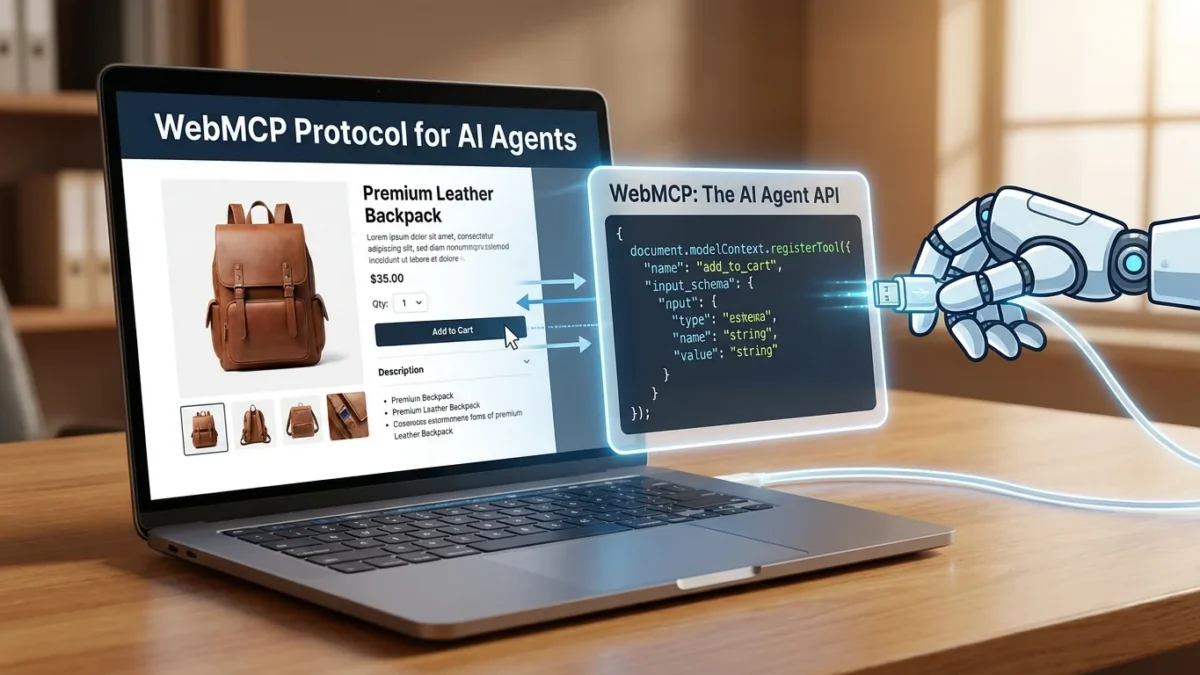
The protocol underneath it is WebMCP, the Web Model Context Protocol, and it answers a question that two years of agent hype mostly dodged: when an AI agent lands on your website, what is it actually supposed to do?
Table of Contents
What WebMCP actually is
Until now the answer was “squint and guess.” Browser agents worked by screenshotting a page, running the image through a vision model, deciding which pixels probably made up an “Add to cart” button, and clicking there. It works, roughly, in the way that operating software through a telescope works. Rename a button, ship a surprise cookie banner, use a custom dropdown instead of a native one, and the chain snaps [1].
WebMCP swaps the telescope for a phone call. Instead of inferring what your site can do, the agent asks. Your site answers with a list: here are my tools, here’s what each one does, here’s the data each one needs.
Chrome’s own framing is the sharpest line anyone has written about the shift: “Instead of your application being a guest within an agent, the agent is a guest on your platform.” [15]
That inversion is the whole thing. In the screenshot model, your website is raw material being interpreted by somebody else’s software and you get no say in the interpretation. In the WebMCP model you write the interface. You decide which actions exist, what they’re called, what they accept, and what they flatly refuse to do.
The code is smaller than you’d expect
A tool registration is about the size of a form handler [4]:
await document.modelContext.registerTool({
  name: "add-todo",
  description: "Add a new item to the user's active todo list",
  inputSchema: {
    type: "object",
    properties: {
      text: { type: "string", description: "The text content of the todo item" }
    },
    required: ["text"]
  },
  async execute({ text }) {
    await addTodoItemToCollection(text);
    return { content: [{ type: "text", text: `Added todo item: "${text}"` }] };
  }
});
Three things do the work here. The description is what the model reads when it decides whether this is the right tool, which makes it prompt engineering wearing an API’s clothes. The inputSchema is a JSON Schema constraining what the agent can pass, and it’s your main defence against a model inventing parameters [14]. Then execute is just your existing application logic, called the same way your own buttons call it.
There’s also a declarative path, annotations on standard HTML forms, for sites whose interactions are already form shaped [14]. Most teams should start there.
The naming trap most tutorials fall into
Search for WebMCP tutorials and the majority will tell you the API is navigator.modelContext. That was true once. It isn’t now: the current specification and the reference implementation both use document.modelContext [3][4].
The spec first went up in August 2025 and, in the maintainers’ own words, “has evolved significantly” since [4]. Guides written in spring 2026 describe an API that no longer exists under that name. Copy a code sample from a post older than a couple of months and you’ll ship something that silently registers nothing.
I’d treat that as a rule for the whole agentic stack right now. The specs are moving faster than the commentary about them. Read the repo, not the recap.
WebMCP vs MCP: the difference that matters
If you already run an MCP server, the obvious question is why you’d need a second thing. They solve different halves of the same problem.
Server side MCP has been around since 2025, and it’s an out of band connection: the agent talks to your server directly, over its own transport, with its own authentication and its own hosting [2]. Good for exposing a product’s capabilities to any agent anywhere. Also a real integration project, with credentials to issue, scopes to define, infrastructure to run.
WebMCP rides the session that already exists. Tools live in the tab the user is looking at, inside the login they already have, calling the same application logic your front end calls [2][15]. No new credentials, because the agent inherits the user’s. No new hosting, because the code already shipped. And the tools vanish when the page closes [2][15].
That last bit is the interesting one. Server MCP grants standing access to a system. WebMCP grants situational access to a page. The permission model is closer to “what can this user do right now” than to “what has this integration been allowed to do forever.”
The two compose, incidentally. Cloudflare’s Site MCP Server pack exists precisely to proxy an existing server side MCP endpoint into the browser for in-tab agents [11].
Who has already shipped it
The August cluster is what turned WebMCP from a proposal into something with an installed base.
Shopify switched on ten tools across every Liquid storefront and the Hydrogen developer preview, with nothing to install [9]. The set is more complete than a demo [10]:
search_catalogbrowse_storeget_productshow_variantget_cartupdate_cartcancel_cartproceed_to_checkoutmanage_orderssearch_shop_policies_and_faqs
Look at where the line sits. proceed_to_checkout takes the shopper to checkout with their cart assembled, but it doesn’t complete the purchase [10]. The agent gets to do the shopping. The human still does the buying.
OpenAI added Site tools to ChatGPT’s desktop browser on 25 August, letting supported pages expose actions to ChatGPT Work and Codex [2]. The constraints are tight: GPT-5.6 Sol or Terra only, disabled on Luna, unavailable in Enterprise and Edu workspaces, desktop app only. Tools live inside the current page and the signed in session, and they disappear when the page closes [2]. OpenAI also ran a ten day WebMCP Challenge backed by Chrome, Shopify, Cloudflare, Netlify, Vercel and Render [1], which tells you who intends this to become normal.
Cloudflare took the strangest approach, and possibly the most consequential. On 6 August it previewed WebMCP as a dashboard toggle [11]. Because Cloudflare already sits between your site and your visitors, it uses HTMLRewriter to inject a single script tag into your HTML on the way out:
<script type="module" src="/.webmcp/bridge.js"
  data-packs="c2pa,mcp-server-client" data-mcp-url="/mcp"></script>
Your origin code never changes and nothing gets redeployed [11][12]. Two tool packs ship in the preview, Content Credentials for C2PA image provenance and a Site MCP Server pack that proxies your existing server side MCP tools into the browser, and all of it runs in the visitor’s browser rather than on Cloudflare’s servers [11]
Sit with that for a second. Between Shopify’s defaults and Cloudflare’s toggle, a very large share of the web can become agent callable without a single developer writing a line of WebMCP.
What WebMCP is not: this is not an SEO play
Here’s where most of the coverage goes wrong, and where I’d push back hardest.
WebMCP governs what happens after an agent reaches your site. It has nothing to do with how you get found, ranked, retrieved or cited. SEJ put it well: a site can be friendly to agents without being any easier for anyone to find [1].
So if your problem is that ChatGPT never mentions you, WebMCP doesn’t touch it. Discovery is a separate fight, decided by whether models have absorbed and trust your brand, which I’ve argued elsewhere is about why AI recommends some brands and not others, not about markup.
The closer mental model is conversion rate optimisation, not SEO. WebMCP is what you do once the agent has already arrived, to stop it fumbling. Structurally it belongs next to the Universal Cart and AP2 protocol stack: rails for agent execution, not agent acquisition.
That reframing matters commercially. Pitch WebMCP internally as an SEO initiative and you’ll be measured against ranking and traffic goals it structurally cannot move. The project then gets written off as a failure for succeeding at something else.
The security problem nobody has fully solved
WebMCP tools run inside the user’s authenticated session. That’s exactly what makes them useful and exactly what makes them dangerous.
Chrome has published explicit warnings that WebMCP tools can be used to manipulate and hijack agents [8]. Two attack vectors matter. First, malicious tool definitions: a site declares tools whose descriptions carry hidden instructions aimed at the model rather than honest documentation. Second, and harder to defend, contaminated outputs, where a perfectly trustworthy site returns third party data like user comments or reviews with injected instructions buried inside [7][8].
The root cause isn’t fixable at the protocol layer. Language models process instructions and data as one undifferentiated token stream, which is what makes indirect prompt injection possible at all [8]. WebMCP doesn’t create that problem. It hands it a well lit, well documented entrance.
Chrome’s recommended defence is layered rather than absolute: keep a human in the loop with confirmation prompts for consequential actions, use spotlighting to mark untrusted content as data rather than instructions, and restrict which origins an agent can touch to limit exfiltration paths [6][7]. The spec adds its own controls, a tools Permissions Policy defaulting to ['self'], origin scoped exposure via exposedTo, secure context enforcement, and an untrustedContentHint annotation for marking dirty returns [3]. OpenAI runs a safety review over purchases, messages, deletions and permission changes [1].
All of that reduces risk. None of it eliminates risk. Anyone selling you WebMCP as a solved security story is selling.
The measurement problem it quietly makes worse
This is the part that should bother performance marketers most, and almost nobody is talking about it.
Agent mediated sessions are already close to invisible in conventional analytics. Client side tracking assumes a human executing JavaScript in an ordinary browsing session, and where referrer data is missing the visit drops into Direct next to bookmarks and typed URLs. Agent behaviour breaks that assumption in several directions at once.
WebMCP makes it worse, because the interaction stops looking like browsing at all. A shopper says “add the blue one in medium and take me to checkout” and what you get is an update_cart call followed by proceed_to_checkout [10]. No product page view. No add to cart click event. No scroll depth, no session recording worth watching. Your funnel reports a checkout that arrived from nowhere.
The fix is the same one that fixes every other 2026 attribution gap, and the same one most teams keep deferring: move conversion capture server side, at the order or webhook level, and feed the platforms from there instead of from the browser. If you haven’t done that work, agentic traffic won’t be the thing that finally forces it. It’ll just be another slice of revenue your dashboards quietly misfile, in the same family as the ChatGPT Ads measurement blind spot.
And to be straight with you: there’s no published data yet on WebMCP tool call volumes, task completion rates, error rates or conversion impact [1]. Anyone quoting you a WebMCP ROI figure today is guessing.
Should you actually implement this?
Browser support is the honest constraint. WebMCP is a Draft Community Group Report from the W3C Web Machine Learning Community Group, explicitly not a W3C Standard and not on the Standards Track [3]. Chrome runs an origin trial from version 149 [5], Edge from 150, Brave Leo has experimental support, Mozilla is neutral, and WebKit’s standards position issue is filed with objections spanning API design, duplication, internationalisation, portability, privacy, security, use cases and venue [1][13]. Safari isn’t coming to this party any time soon.
The decision splits fairly cleanly by situation.
If you’re on Shopify or behind Cloudflare, you may already be shipping it. Your first job isn’t implementation, it’s inventory. Find out what your platform switched on by default, what those tools are called, and what they let an agent do inside a logged in session. Shopify presets the tool descriptions platform wide, and it isn’t clear merchants can customise individual tools [1]. Which means the agent facing description of your store was written by someone else. I’d want to read it.
If you run a transactional site with clear, bounded actions, things like search, filter, book, configure or quote, the cost of an experiment is low and the learning is real. Start with three or four read only tools, ship them behind the origin trial, then watch what agents actually call. That last part is the whole value of going early.
If you’re a content or lead gen site, wait. There’s no meaningful action to expose, no discovery upside, and the security surface isn’t worth acquiring for a feature two browsers support.
The takeaway
WebMCP isn’t the next SEO, and treating it as one will get the project mis-scoped and mis-measured. It’s something quieter and more durable: the web growing a second interface, written for software instead of eyes.
The concrete move this quarter isn’t to build tools. It’s to find out which ones you’re already exposing. Check your Shopify storefront. Check your Cloudflare dashboard. Then go and fix the server side conversion tracking that agent traffic is about to make non-optional.
The advertisers who lose here won’t be the ones who implemented WebMCP late. They’ll be the ones who couldn’t see the revenue it moved.
Sources
[1] WebMCP Connects AI Agents To Actions Inside Websites — Matt G. Southern, Search Engine Journal. https://www.searchenginejournal.com/webmcp-connects-ai-agents-actions-inside-websites/587303/
[2] OpenAI Adds WebMCP Site Tools To ChatGPT’s Browser — Matt G. Southern, Search Engine Journal. https://www.searchenginejournal.com/chatgpt-adds-webmcp-support/587237/
[3] WebMCP — Draft Community Group Report, W3C Web Machine Learning Community Group. https://webmachinelearning.github.io/webmcp/
[4] webmachinelearning/webmcp — GitHub repository. https://github.com/webmachinelearning/webmcp
[5] Join the WebMCP origin trial — Chrome for Developers. https://developer.chrome.com/blog/ai-webmcp-origin-trial
[6] WebMCP tool security — Chrome for Developers. https://developer.chrome.com/docs/ai/webmcp/secure-tools
[7] Agent security considerations for WebMCP — Chrome for Developers. https://developer.chrome.com/docs/agents/security
[8] WebMCP Can Be Used To Hijack AI Agents, Chrome Warns — Search Engine Journal. https://www.searchenginejournal.com/webmcp-can-be-used-to-hijack-ai-agents-chrome-warns/578904/
[9] WebMCP support for Liquid and Hydrogen storefronts — Shopify developer changelog. https://shopify.dev/changelog/webmcp-liquid-hydrogen
[10] WebMCP tools — Shopify.dev API documentation. https://shopify.dev/docs/api/web-mcp
[11] Give any website a WebMCP interface — Cloudflare Blog. https://blog.cloudflare.com/webmcp/
[12] Cloudflare Previews Automatic WebMCP Support for Web Pages — InfoQ. https://www.infoq.com/news/2026/08/cloudflare-webmcp/
[13] WebMCP · Issue #670 — WebKit/standards-positions, GitHub. https://github.com/WebKit/standards-positions/issues/670
[14] WebMCP documentation — Chrome for Developers. https://developer.chrome.com/docs/ai/webmcp
[15] When to use WebMCP and MCP — André Cipriani Bandarra and Alexandra Klepper, Chrome for Developers. https://developer.chrome.com/blog/webmcp-mcp-usage