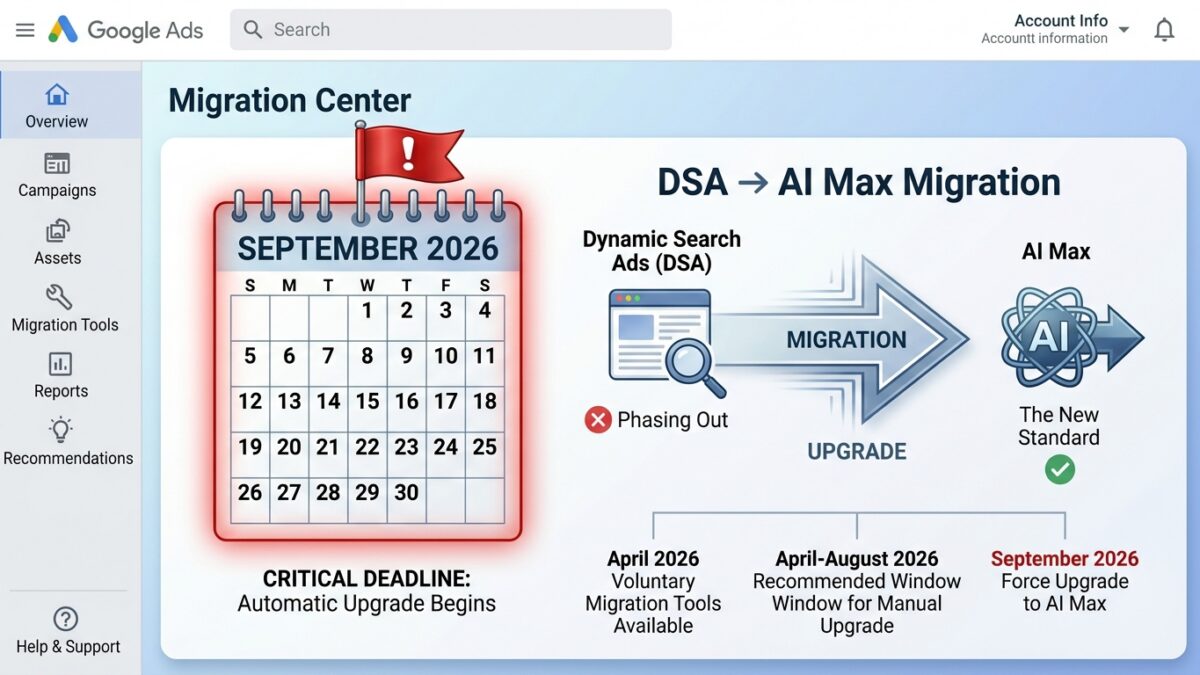
On 15 April 2026, Google quietly buried a fifteen-year-old campaign type. The official wording was friendlier than that — “We’re upgrading Dynamic Search Ads to AI Max” — but the practical translation is unambiguous: Dynamic Search Ads are being retired, Automatically Created Assets are being absorbed, and the campaign-level broad match setting is going away. All three will auto-upgrade to Google Ads AI Max for Search in February 2027 — originally September 2026, until Google pushed the date back on 11 June 2026.
Update, 12 June 2026: Google has delayed the auto-migration from September 2026 to February 2027, and DSA campaign creation is restored from 15 June 2026. I’ve updated the timeline and recommendations throughout, and added a section on what the delay actually tells you. The short version: the deadline moved, the work didn’t.
The original September date was not a coincidence. It landed the week most European advertisers come back from summer holidays, with roughly six weeks of runway before Black Friday and Cyber Monday — which is a big part of why the delay matters. February 2027 is a far less brutal landing zone, but the core advice is unchanged: if you’re running DSA at any meaningful scale — and especially if DSA is more than half your search mix — the worst possible plan is still to do nothing and let the auto-migration land in your account on Google’s schedule instead of yours.
This is the playbook I recommend, based on the latest updates and my firsthand experience upgrading DSA campaigns to AI Max over the past few days. It covers what AI Max actually is, how it differs from Dynamic Search Ads and Performance Max, exactly what auto-upgrade will do to your account if you ignore it, and a five-step manual migration plan that finishes well before peak Black Friday season.
Table of Contents
What is Google Ads AI Max for Search?
AI Max for Search is Google’s AI optimisation layer for Search campaigns. It went generally available on 15 April 2026, after roughly a year in beta for selected markets and advertisers. Ginny Marvin, Google’s Ads Liaison, put it more honestly than the marketing copy: “AI Max’s suite is essentially Performance Max search… bringing the AI-powered tools of PMax for Search into Search.” Same underlying technology — same crawl, same Gemini layer, same intent inference — but with ad-group-level brand, location, URL, and text controls that PMax has historically refused to give advertisers.
Three features sit under the AI Max umbrella, and you should understand each before you migrate.
Search Term Matching is the matching engine. It has two arms. The first is a broad-match expansion that runs on top of your existing exact and phrase keywords, picking up adjacent intent. The second is the keywordless arm, which matches queries against your landing pages, a page feed and ad-group assets — no keyword required. In SMEC’s account sample, traffic splits roughly 50/50 between the two arms. The keywordless arm is what makes AI Max viable as a DSA replacement, because it’s the same idea (match queries to site content and/or a page feed) with a much richer signal stack.
Text Customisation is where Gemini generates RSA headlines, callouts, and sitelinks based on your landing page and existing assets. This replaces the legacy Automatically Created Assets (ACA) feature. The new piece is Text Guidelines — a pilot control that lets you constrain Gemini with up to 25 banned terms and 40 messaging restrictions of 300 characters each. If you’re in a regulated industry or have brand-voice requirements, this is where you defend them. Bonus insights: Through my Google Ads account manager, I did get confirmation that the terms exclusions should match your target market’s language. For the messaging restrictions, you can use english to explain your restrictions, however if you include specific market language terms in your english message restrictions, you should keep them in the target language and not use an english translation for it.
Final URL Expansion (FUE) is Google crawling your site and choosing landing pages by inferred user intent rather than the URL you set. It’s on by default when AI Max is turned on, and it can’t run standalone — it always pairs with text customisation. FUE is also the feature most likely to embarrass you if your site has stale, deindexed, or off-brand pages. More on that below.
The combined pitch: AI Max takes your boring exact-match search campaign and makes it match like broad match, write copy like a junior copywriter, and choose landing pages like a confused but enthusiastic intern. Whether that’s a feature or a bug depends entirely on the guardrails you put around it.
DSA vs AI Max vs Performance Max — where does AI Max fit?
The clearest way to think about AI Max is as the middle ground between Search and Performance Max: PMax-style automation, Search-style transparency. The comparison from Vizup’s migration guide makes the spectrum obvious:
| Feature | DSA | AI Max | PMax |
|---|---|---|---|
| Query matching | Site content / page feed | Site + broader user intent | All Google signals across channels |
| Creative gen | Auto-headlines from page | Gemini headlines + descriptions | Fully automated asset mixing |
| Landing page | Dynamic match | Dynamic + FUE toggle | Fully automated |
| Negative keywords | Full | Full | Limited |
| Structure | Separate Dynamic Ad Groups | Inside standard Search | Standalone all-in-one |
| Reporting | Search terms + landing pages | Asset reports + AI Max source | Limited |
| Advertiser control | Moderate | High | Low |
Two practical implications.
First, AI Max is not “PMax for Search renamed” — even though the underlying tech overlaps. It keeps full negative keyword control, brand exclusions, URL controls, and source-level reporting. If you’ve been waiting for “PMax with the lights on,” AI Max is the closest Google has shipped.
Second, AI Max can run alongside Performance Max — Google has confirmed conflicts are resolved by Ad Rank per query — but the overlap is real and you have to manage it. Marvin’s framing: “They can run together, but advertisers should monitor overlap in query coverage, landing-page behaviour, and overall contribution.” In SMEC’s sample, 48% of accounts running AI Max are also running both DSA and PMax simultaneously — a configuration Mike Ryan calls “account-hygiene heartburn.” Decide which campaign owns which intent surface, then enforce it with brand settings and URL controls.
The February 2027 timeline (and what happens if you do nothing)
| Date | Event |
|---|---|
| 15 April 2026 | AI Max GA. DSA retirement officially announced. Voluntary upgrade tools rolling out. |
| 11 June 2026 | Google delays the auto-upgrade from September 2026 to February 2027. |
| 15 June 2026 | DSA campaign creation restored in Google Ads UI, Editor, and API. |
| June 2026 – January 2027 | Voluntary migration window. You keep manual control over every setting. |
| February 2027 | Auto-upgrades begin. Expect new DSA creation to be disabled again as upgrades roll. |
The original plan gave advertisers a 5.5-month runway from announcement to forced upgrade — tighter than the nine months Smart Shopping to PMax got in 2022. The delay stretches that to roughly ten months, now longer than the Smart Shopping precedent. That’s a meaningful concession, and it changes the calendar math — but not the to-do list.
If you do nothing, here’s exactly what auto-upgrade will hand you:
DSA campaigns convert to standard ad groups, with all three AI Max features on by default (search term matching + text customisation + final URL expansion). Legacy URL controls (page feeds, URL_Equals, URL_Contains) are preserved. Legacy URL rules like “page title contains” become read-only — you can remove them, but you can’t edit or add new ones post-upgrade.
ACA users get AI Max with search term matching and text customisation on. Campaign-level broad match users get AI Max with search term matching on.
During the transition, legacy DSAs keep running until the new RSAs pass policy review, so there’s no traffic gap. Useful — but it also means you may be running two ad versions simultaneously without realising it.
The auto-upgrade is built for the average advertiser. It will not understand that your fashion-retailer page feed has a custom label structure that took six months to tune. It will not preserve the nuance of your B2B negative keyword lists. And — most relevant — it will turn on Final URL Expansion by default, even though Vizup and Aubado both recommend starting with FUE off or restricted to a vetted feed.
Google blinked: what the June 2026 delay tells you
On 11 June 2026, Google announced two things at once: the DSA auto-upgrade moves from September 2026 to February 2027, and — more surprisingly — advertisers can create new DSA campaigns again from 15 June. Google’s stated reason is to give advertisers “additional time to manage their migrations and conduct thorough testing.” [13]
Read between the lines and three things stand out.
First, this is the first slip in Google’s 2026 forced-migration calendar. Google has been consolidating campaign types at speed — DSA into AI Max, standalone Display into Demand Gen — and the original 5.5-month runway was the tightest forced migration it has ever attempted. Walking it back to a Smart-Shopping-style ten months suggests migration volume, advertiser pushback, or AI Max readiness (or all three) weren’t where Google needed them to be. If you’re also sitting on standalone Display campaigns, watch whether that migration track slips the same way.
Second, restoring DSA creation is a gift to anyone testing properly. Until now, the migration was a one-way door — once you upgraded, you couldn’t build a fresh DSA to baseline against. From 15 June you can again. If you want a clean control for your AI Max experiments (Step 3 below), you now have the option of spinning up a parallel DSA on the same inventory and comparing like-for-like. That was impossible under the original timeline.
Third, the delay is not a reprieve — it’s a better calendar. Under the September date, the migration collided with Q4 prep. Under the February date, advertisers who procrastinate will be running their first weeks of AI Max — the noisy, negative-keyword-triage weeks — in the post-holiday January sales tail, on an account that just went through peak with a campaign type that no longer has a future. The smart play hasn’t changed: migrate on your own terms in the quiet months, go into Black Friday 2026 with AI Max already stable, and let February 2027 be a non-event.
Why you should still migrate before Black Friday — not after
The delay removed the ugliest scenario — a forced migration landing in September, the on-ramp to Black Friday, while accounts are uploading promo assets, refreshing seasonal feeds, finalising bid strategies, and expanding budgets. But waiting for February 2027 just trades one bad position for another: you’d go through your biggest revenue weeks on a retired campaign type, then do the migration with zero peak-season AI Max data, in the middle of Q1 planning.
Three specific reasons to migrate well before peak, not after.
AI Max needs 4 to 6 weeks to stabilise. Google’s own guidance recommends a 1 to 2 week ramp-up before reading results, then 4 to 6 weeks of test data before you trust the numbers. Start in the autumn and you don’t get to interpret the data until late October — when you’re supposed to be ramping spend, not running A/B tests. Wait for the February 2027 auto-upgrade and your learning weeks land in the January sales tail instead.
Search term reports require active triage. AI Max’s keywordless arm surfaces queries DSA never would have. Power Pack research flagged one account where 69% of AI Max impressions hit competitor brand terms. You don’t want to discover that pattern on Black Friday Eve. The first month after migration is the time to work your negative keyword lists, not the week of peak.
Site hygiene matters more than ever. AI Max depends on landing-page quality more heavily than DSA did. If your site has stale URLs, deindexed pages, or thin category pages from a recent migration, AI Max will find them and serve them. Catching that takes weeks of search-term-report monitoring — work that’s much easier in a quiet July than in a frantic September.
The accounts most at risk are the ones Aubado calls out specifically: lead-gen and non-ecommerce advertisers where DSA is more than 50% of the search mix. If that’s you, the right time to start was the day after Google’s announcement. The second-best time is now.
The 5-step manual migration playbook
Adapted from Maxim Baeten’s checklist at Aubado, with additional notes from Vizup, Strike Social, and Google’s own setup documentation.
Step 1 — Audit your DSA estate (and export everything)
Pull 90 days of DSA performance: spend, conversions, CPA/ROAS, search term reports, landing page reports, page feed performance with custom labels. Export it. Historical DSA-specific reporting may not survive the migration, and you will want a baseline to compare against.
Tag each DSA campaign by use case: brand defence, long-tail discovery, page-feed-driven category coverage, fallback for keyword campaigns. AI Max will replace each of these differently.
Step 2 — Tighten your negative keyword lists first
AI Max matches more broadly than DSA. Before you turn it on, you want the guardrails in place:
- Competitor brand terms
- Job-seeker queries, “free”, “DIY”, and other intent-killers for commercial accounts.
- Branded queries if you don’t want AI Max competing with your dedicated brand campaigns. (Or use ad-group-level brand exclusions instead.)
Per Marvin, when AI Max appears to be hijacking competitor terms, the first thing to check is whether your dedicated competitor campaign has hit its daily budget cap and gone ineligible. Fix the eligibility problem first, then layer on negatives.
Step 3 — Test on a small subset
Pick 2 to 3 DSA campaigns that cover different use cases — one high-volume, one niche, one heavy page-feed user. Run AI Max on those for 2 to 4 weeks. Don’t compare on raw CPC; CPCs will rise as you enter more competitive auctions, and that’s not the same as worse efficiency. Compare on CPA and ROAS.
From my own experience, if you want to start conservatively, use only page feed targeting. The setup is fairly similar to DSA: instead of dynamic ad groups, you use standard ad groups. Everything else besides the the text guidelines are fairly similar to a classic DSA setup. I’ve personally chosen Claude to create me an automated workflow do to this at scale with the Google Ads API. Strongly recommended if you have a very large page feed. Once you’re happy with the keywordless approach and performance, you can slowly add keywords to your ad groups. For this, I also used Claude to create me a system that would return useful keywords from the Google Keyword planner through the Google Ads API. Make sure to have a standard API access as Basic API access will very quickly blow up your daily quota.
Step 4 — Set up text guidelines and check your bidding
Before you migrate at scale, pre-build:
- Text guidelines — the term-exclusion list and messaging restrictions that prevent Gemini from inventing claims you can’t substantiate. This is the single highest-leverage compliance control AI Max ships with. Brad Geddes recently published a very useful and detailed article on the best practices for this.
- Brand inclusions/exclusions — campaign-level for exclusions, ad-group-level for inclusions. Critical if you’re running AI Max alongside a dedicated brand campaign.
- Location of Interest — set at ad-group level, this guides the keywordless arm toward localised queries even when campaign-level location targeting is broad.
- Smart Bidding sanity check — AI Max leans heavily on conversion signal quality. Short conversion delays, enhanced conversions enabled, and ideally offline conversion imports for lead-gen accounts. Vizup’s anonymous B2B case study reported a 22% drop in cost per qualified lead within six weeks after wiring CRM-stage data into the bid signal.
Step 5 — Migrate the rest in batches of 5 to 10 per week
Don’t big-bang it. Migrate batches, watch search term reports daily for the first week of each batch, and add negatives aggressively. Track CPA, conversion volume, search term relevance, and landing-page selection accuracy daily for the first 30 days. A CPA increase greater than 20% that persists beyond two weeks is the signal that something needs intervention — usually FUE picking the wrong landing pages, or text guidelines that are too loose.
The pinned-asset trap and other gotchas
Two things will catch out compliance-driven advertisers and need explicit acknowledgement.
Pinned RSA assets are not respected when Final URL Expansion is on and AI picks a URL different from your set one, or when URL inclusions are configured. The conventional advice has been: regulated industries (finance, pharma, gambling,…) should turn FUE off and skip URL inclusions. That advice is now changing.
On 30 April 2026, Ginny Marvin announced text disclaimer assets — a new asset type that auto-appears in the first description line of your RSAs and, unlike pinning, is fully supported by Final URL Expansion. That means you’ll be able to use FUE and still guarantee your required compliance copy appears in every ad. Text disclaimers are rolling out “in the coming weeks” — until they land in your account, the conservative posture (FUE off) still applies. Once they do, use text disclaimers instead of turning FUE off.
Many longer queries fall below privacy thresholds and won’t appear in the Search Terms Report at all. AI Max will be working in a partial black box — more so than DSA was. Plan for it.
What you actually gain
It’s not all friction. AI Max ships with capabilities DSA never had.
Broader reach. Matches beyond your site content, into adjacent intent surfaces — including the multimodal and conversational queries Lens and AI Mode are creating in increasing volume.
Smarter ad customisation. Gemini-generated copy that adapts per query, when guarded by text guidelines.
Network-level placement reporting — segmentable by network as of April 2026, addressing one of the biggest complaints about Search Partner Network visibility.
AI Brief (incoming): A new control layer arriving over the coming months that builds on text guidelines. Instead of manually configuring term exclusions and messaging restrictions, you’ll describe what you want in plain language — covering text customisation, search term matching, and audience steering — and get previews of sample assets and searches before committing. Existing text guidelines carry
over automatically. It’s an iterative approval loop between you and Gemini before the settings go live.
Google’s quoted performance number at GA was +7% conversions or value at similar CPA/ROAS for the full feature suite vs search term matching alone. That’s down from +27% pre-launch and +14% pre-GA, which suggests real-world results land below the headline pitch — but still positive when guardrails are in place. Specific case studies — L’Oréal at -31% CPA and 2x conversion rate, Vizup’s anonymous B2B at -22% cost per qualified lead — show the upside is real for advertisers who instrument properly.
Your pre-Black-Friday checklist
Don’t treat the February 2027 auto-upgrade as a date on a calendar — and don’t treat the June delay as permission to park this. The deadline you should actually plan against is still Black Friday 2026.
Here’s the minimum I’d recommend to complete before the summer holidays:
- Full DSA estate audit exported and archived
- Negative keyword lists tightened, including competitor brands
- 2 to 3 representative DSA campaigns running AI Max experiments
- Text guidelines drafted and tested in pilot
- Brand inclusions/exclusions configured for AI Max + PMax overlap
- Conversion tracking audited; offline conversion imports live for lead-gen
- FUE posture decided per campaign (on by default for ecommerce, off for compliance-sensitive verticals)
By the time the auto-upgrade lands in February 2027, AI Max should already be running in your account on your terms, with the kinks ironed out and months of clean baseline data behind it — including a full peak season. That’s the position you want going into Black Friday — not still discovering that Gemini is writing headlines you don’t recognise on landing pages you forgot existed.
Google has framed this as an upgrade, and the June delay shows it’s willing to give you more time to get it right. Whether it actually is an upgrade depends on the work you do between now and peak season — not between now and February.
Sources
- We’re upgrading Dynamic Search Ads to AI Max
- Google to retire Dynamic Search Ads in favor of AI Max
- DSA Is Dead: How to Migrate to Google Ads AI Max Before September 2026
- Replace Dynamic Search Ads With AI Max: Your 2026 Migration Guide
- Advertiser’s Guide to Upgrading Dynamic Search Ads to AI Max
- Google AI Max and the future of Search Ads: A conversation with Google’s Ginny Marvin
- AI Max for Search: Everything you need to know
- How to create effective AI Max text guidelines
- Set up AI Max in Google Ads — Google Ads Help
- A marketer’s guide to Google’s Power Pack: AI Max, PMax, Demand Gen
- DSA Upgrade to AI Max: What Advertisers Need to Know
- Ginny Marvin — AI Max Update, April 30 2026 (LinkedIn)
- DSA Automigration Delayed to February 2027 — PPC News Feed, 11 June 2026